
●A look inside OWL
Run maintenance on the software your crew already sees.
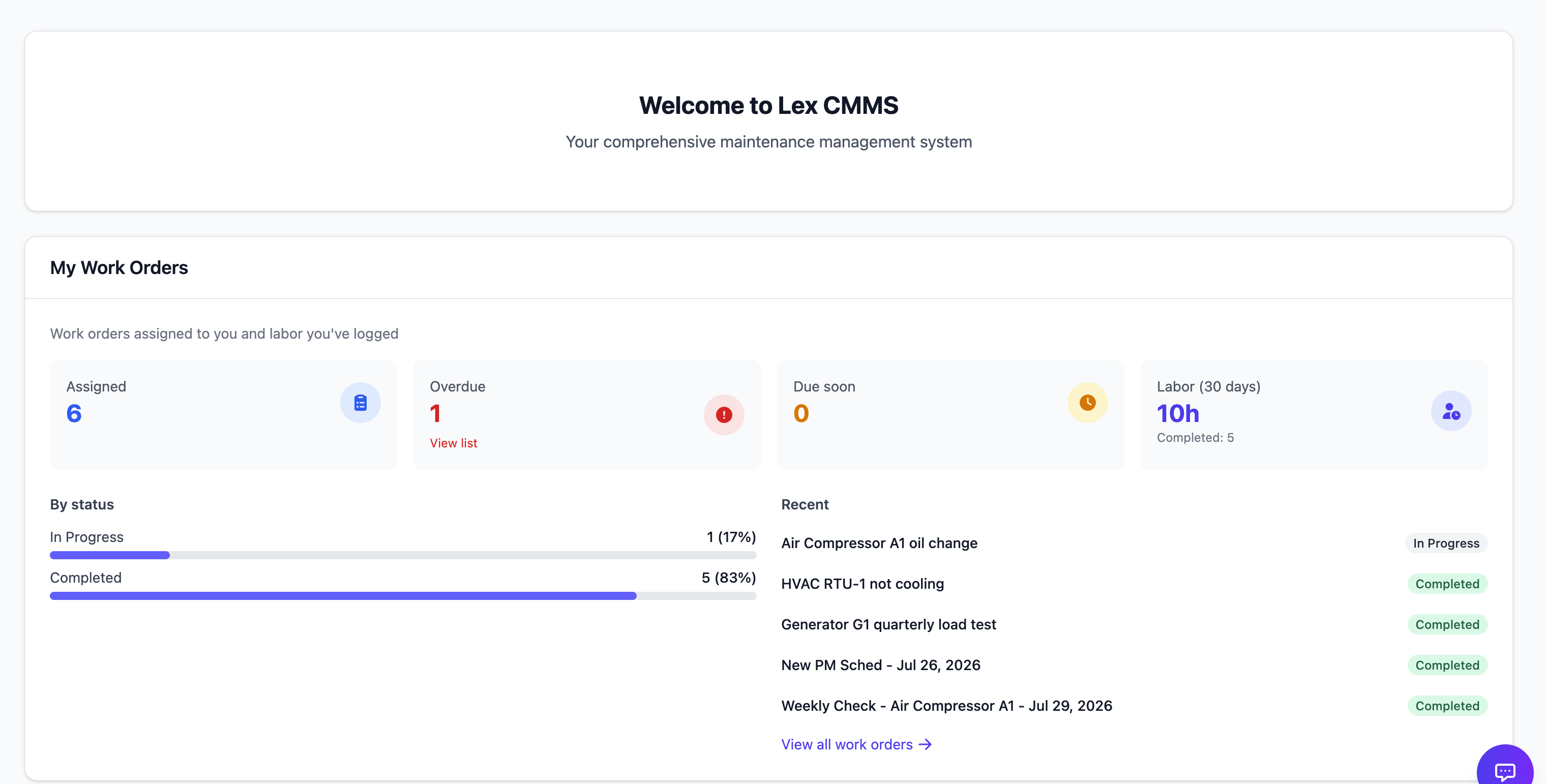
Work orders, assets, preventive maintenance, and reports from the product your team uses day to day.
CMMS · MES · Procurement · Audit · Lex AI
Reports & analytics
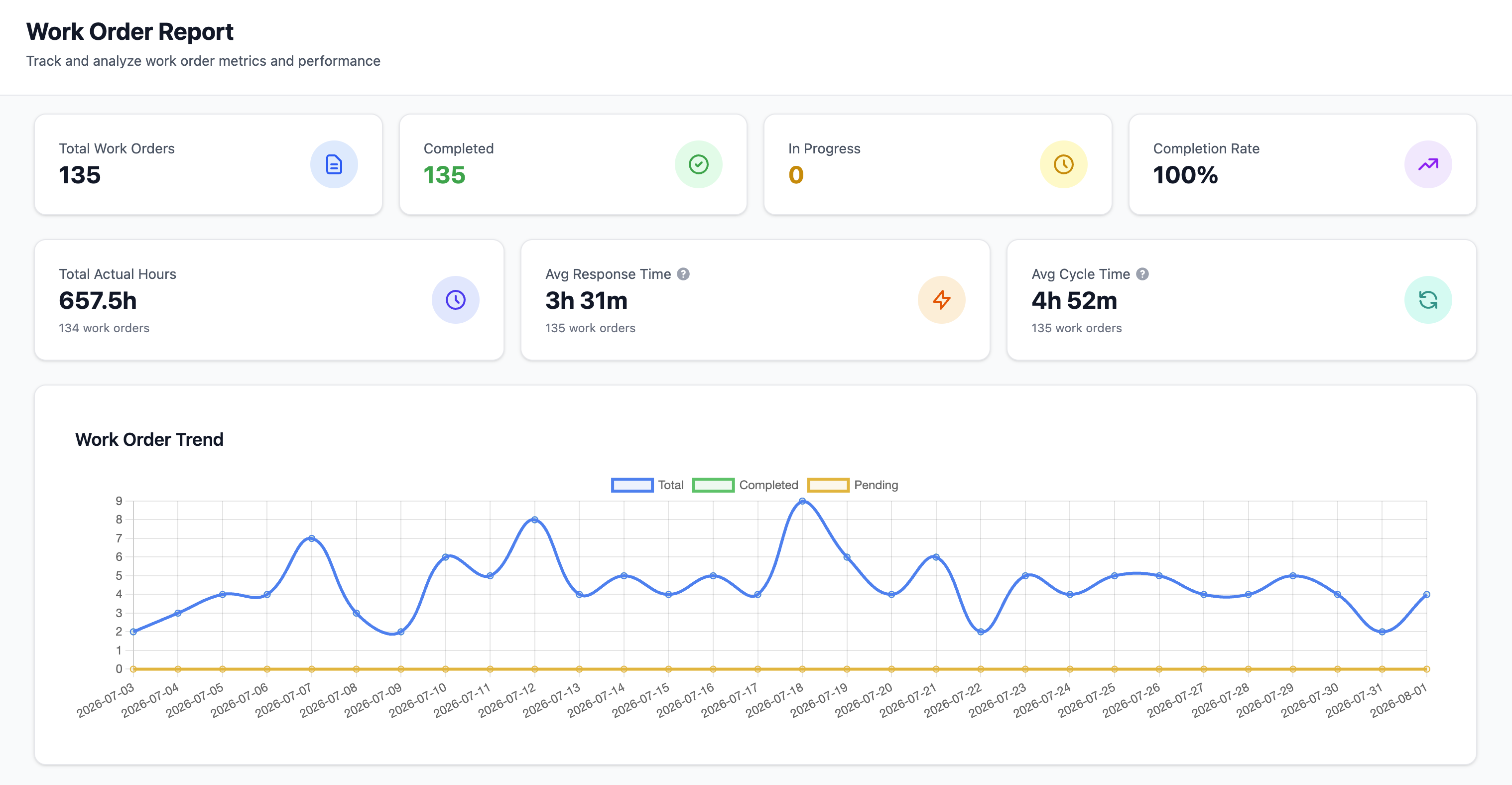
Work ordersInside OWL
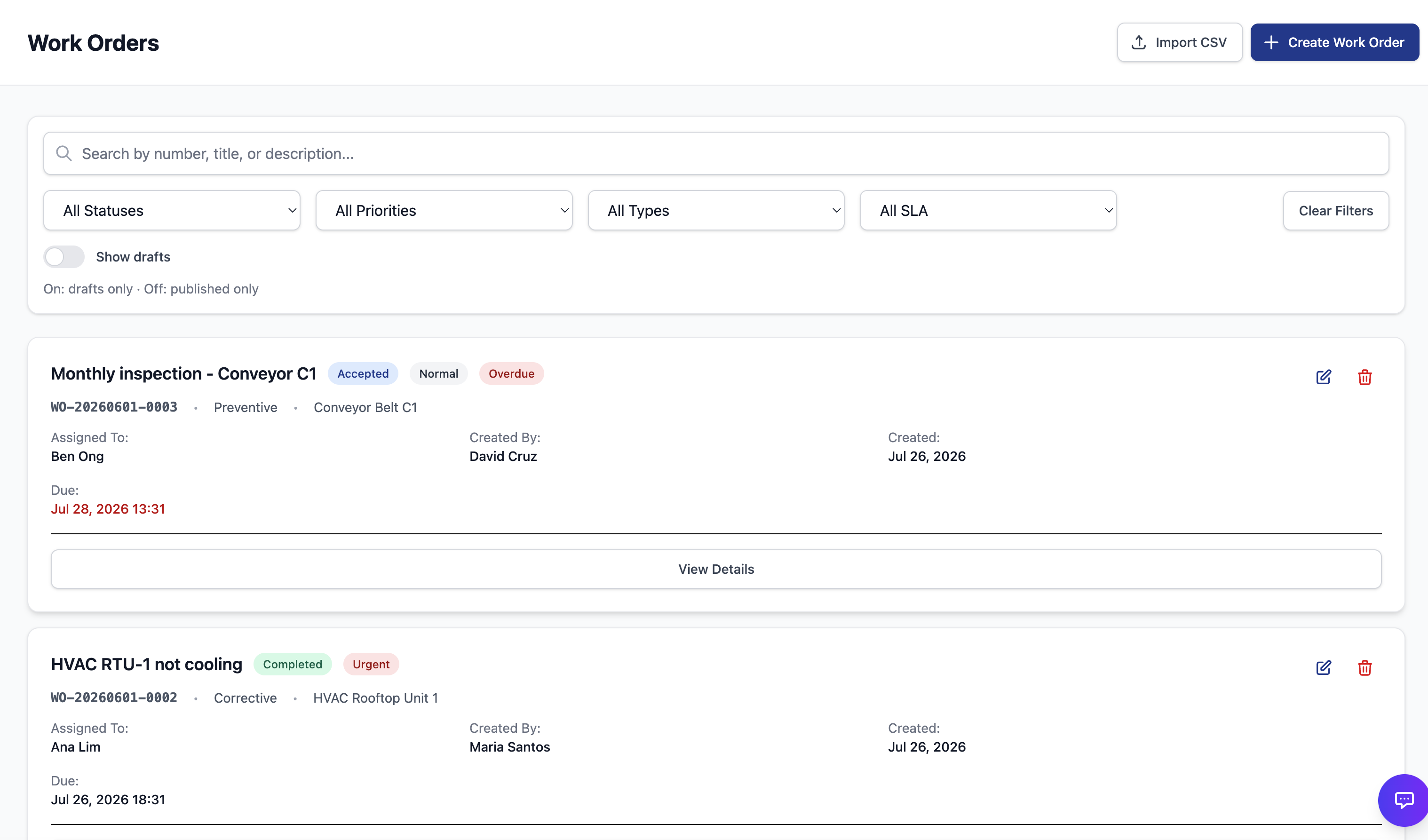
In the product
The screens people use to run the shift
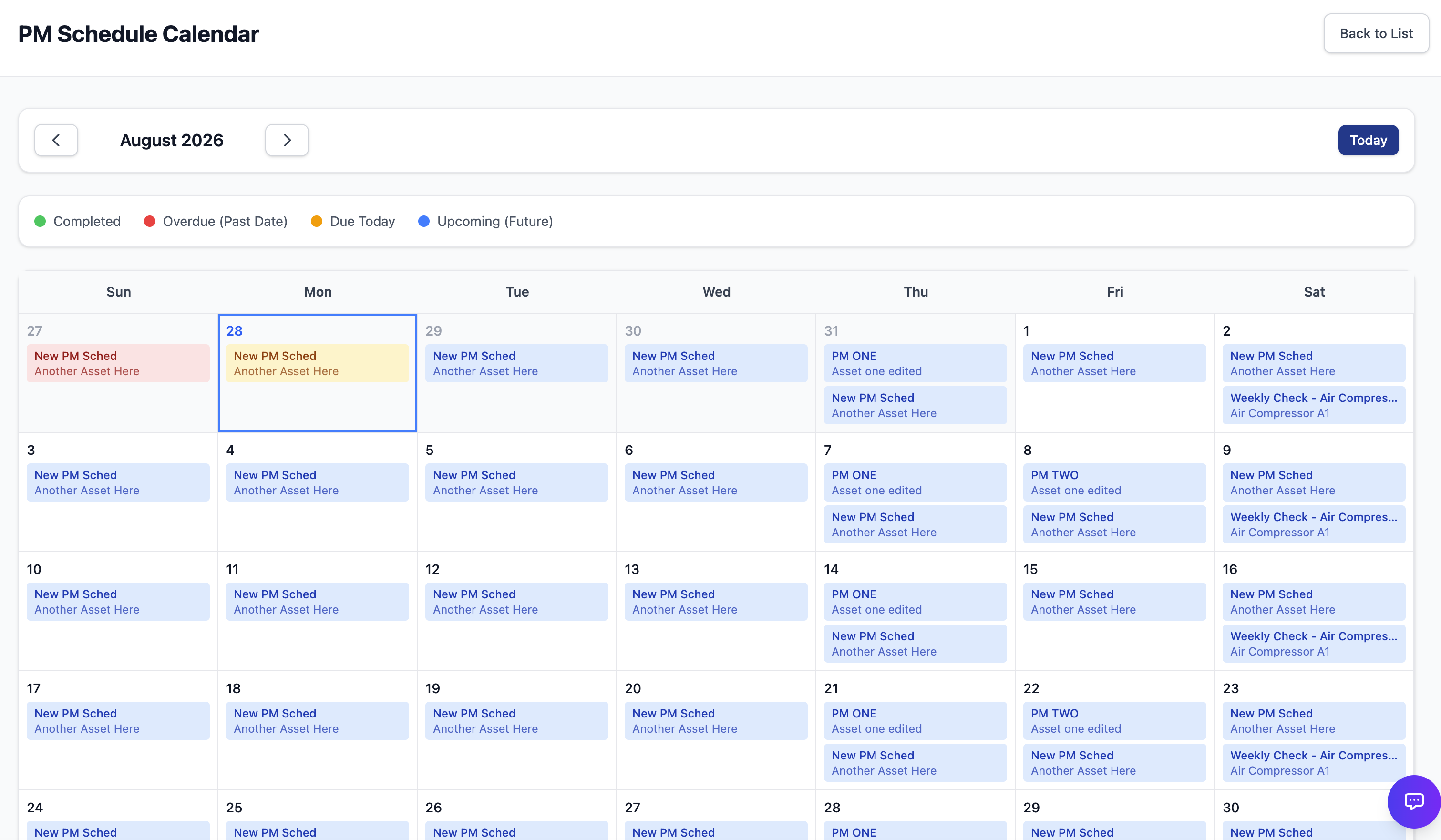
Work orders, schedules, and reports as crews and supervisors use them every day.
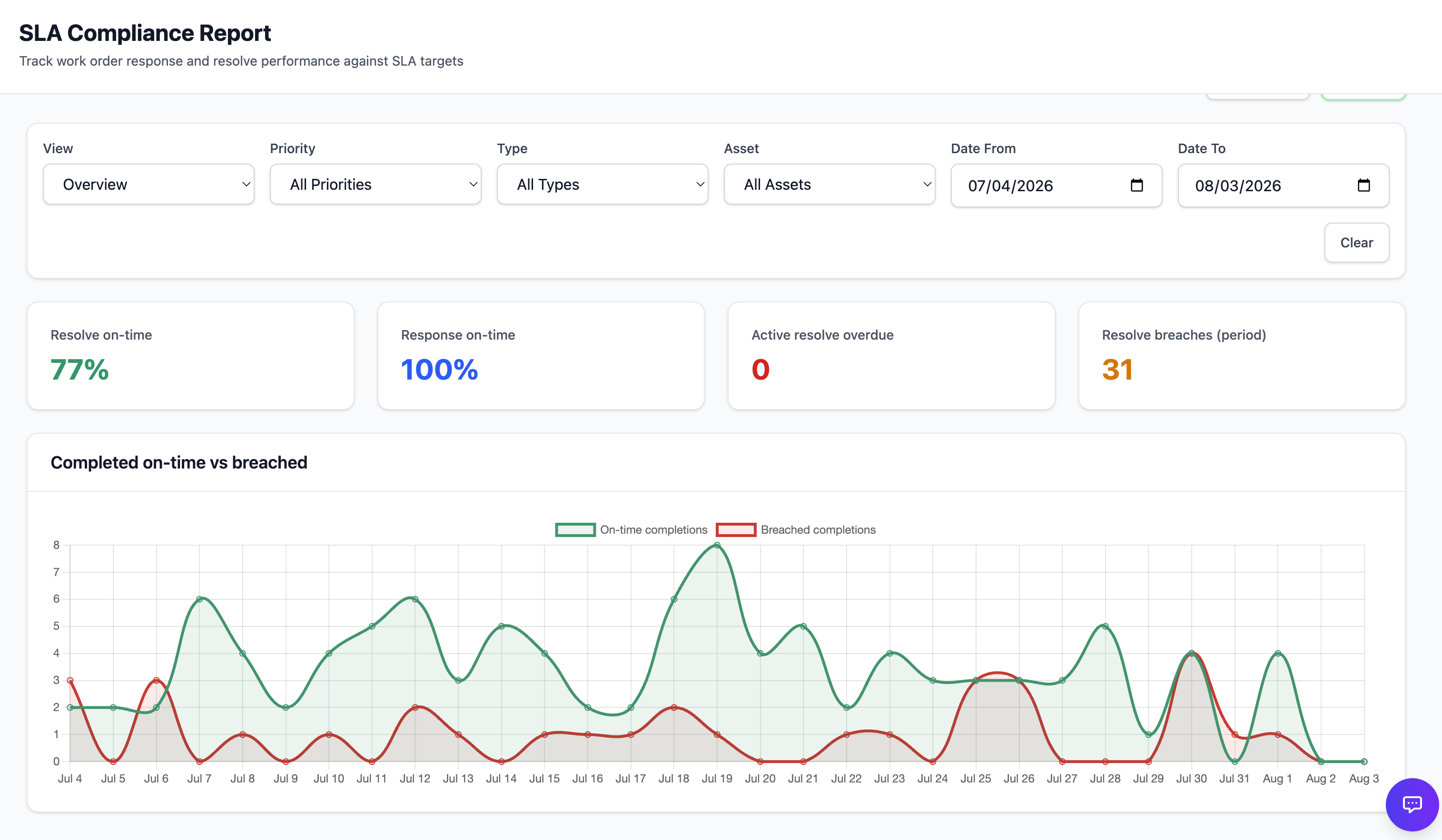
What OWL covers
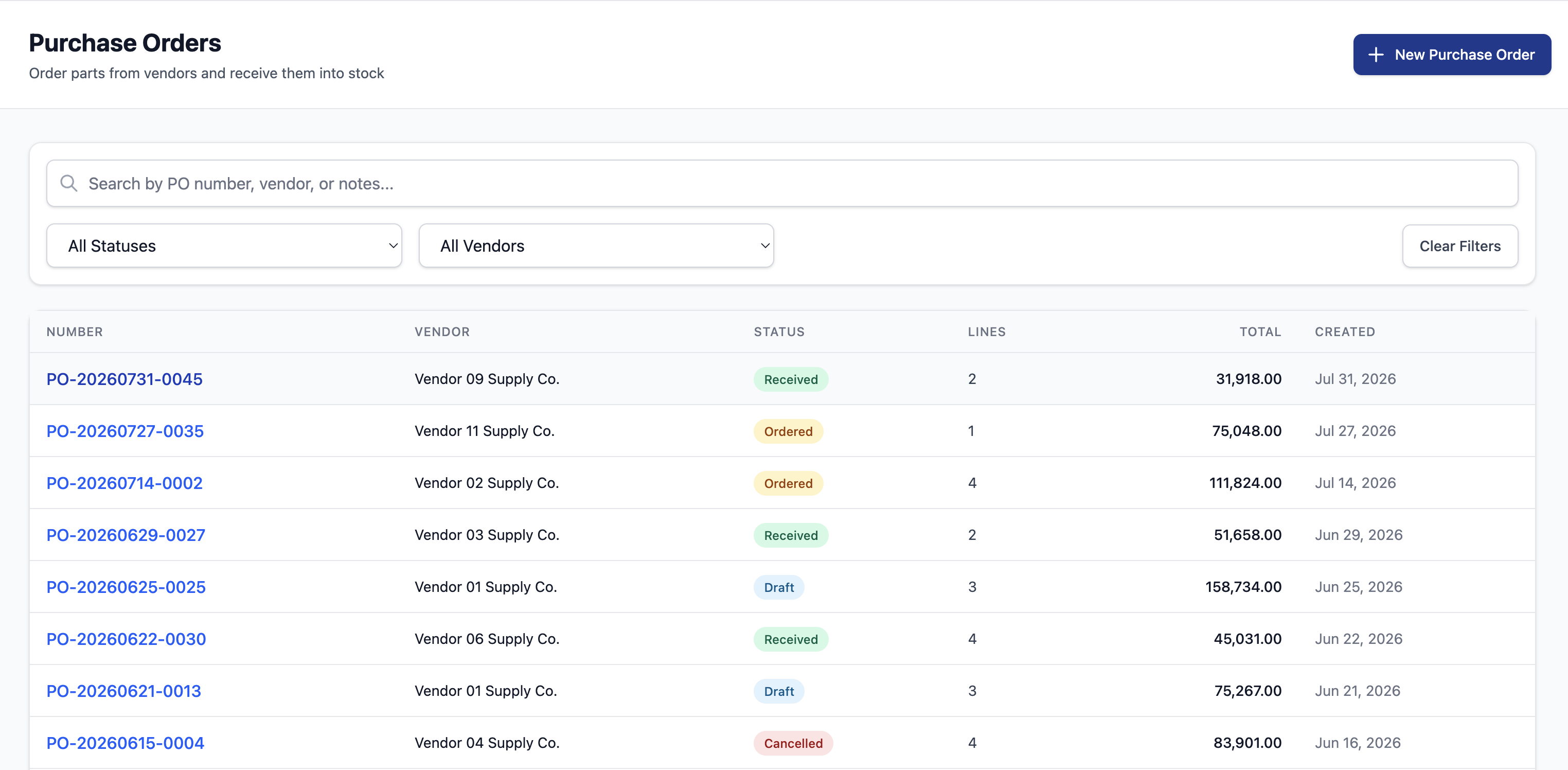
CMMS work orders, assets, PM, and procurement
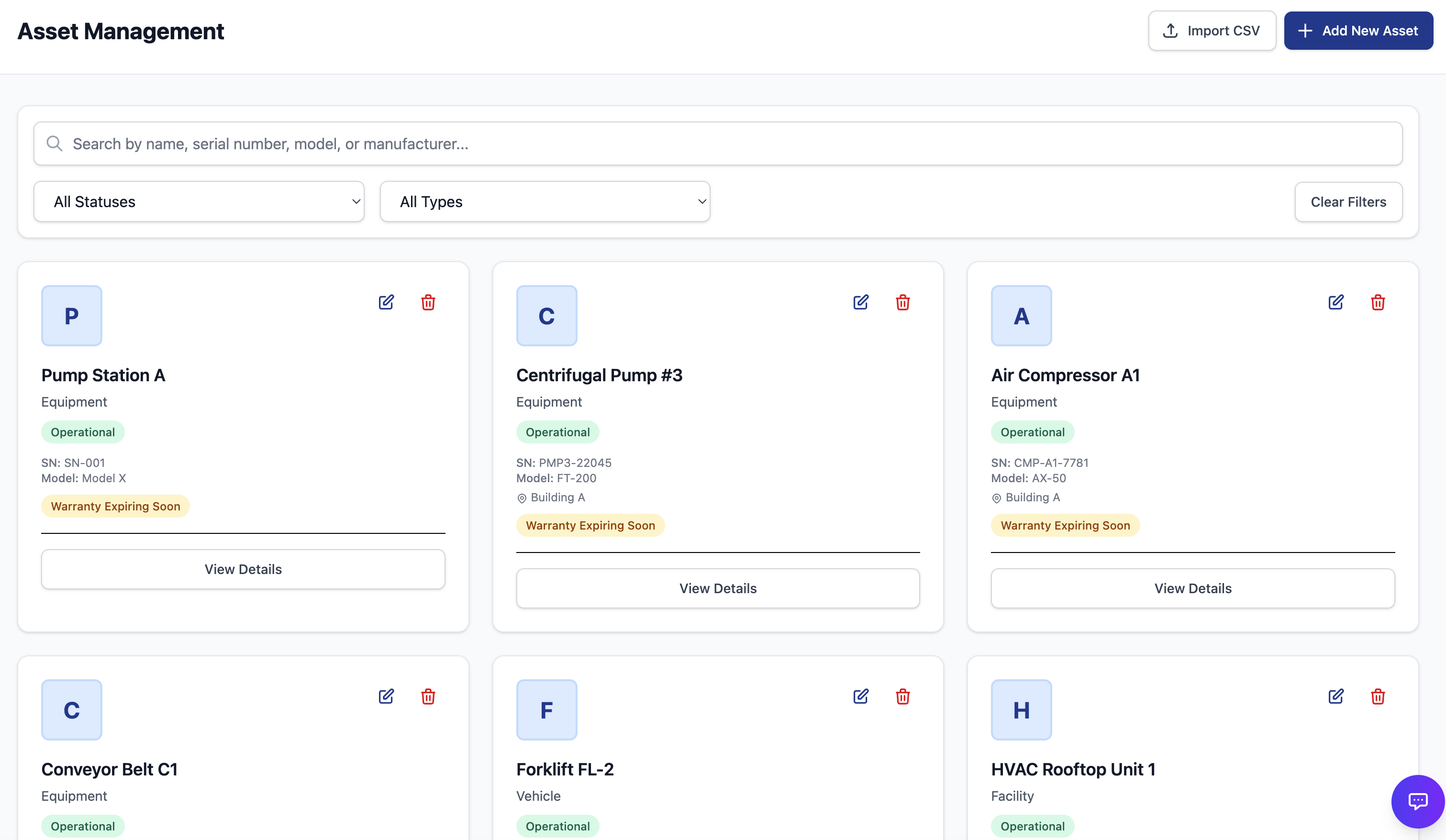
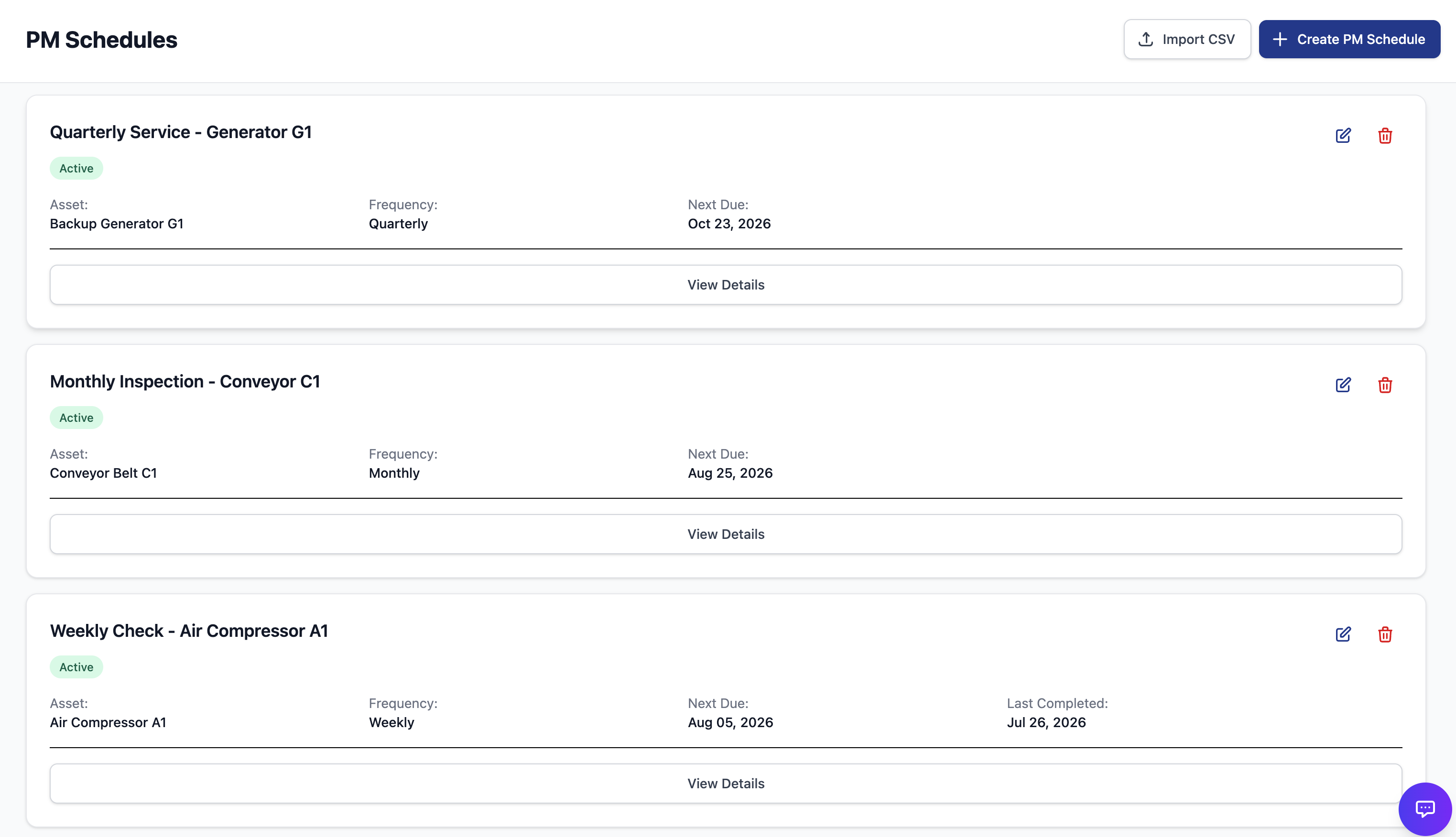
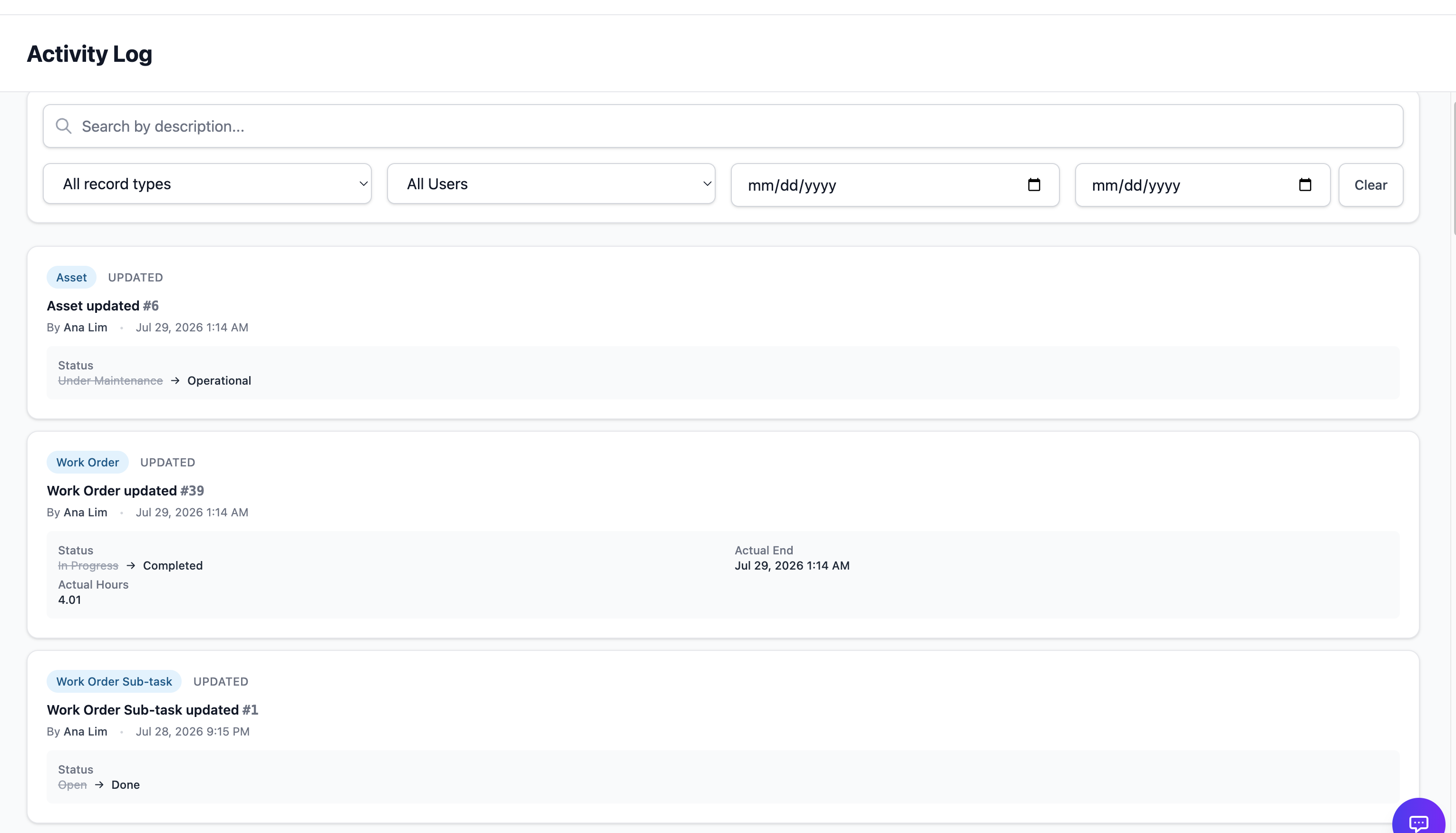
Optional: MES, Audit, and Lex AI — configured around your rollout.
How it works
Setup, run work, see status
 123
123 1
Setup
Add locations, assets, and people for the site.
2
Run work
Technicians take jobs and close tickets on the floor.
3
See status
Managers watch queues, SLA, and PM compliance.
Built for teams in
Manufacturing · Facilities · F&B · Utilities · Healthcare · Logistics
Pricing
Pricing for the work your sites need to run
See OWL against the work you run
Share your email and we will walk through your assets, maintenance routines, and PM work.